
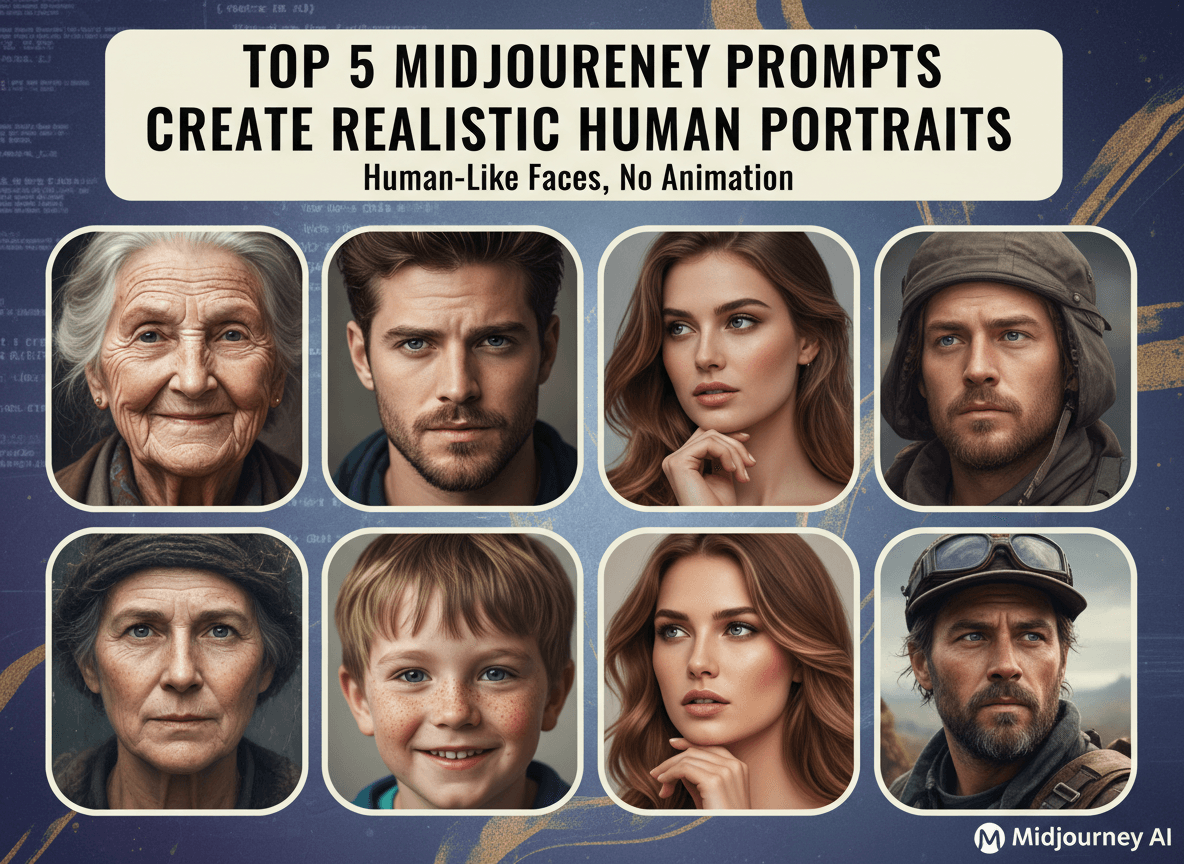

Creating realistic human portraits with Midjourney can seem challenging. You might wonder how to get those fine details, authentic expressions, and human-like qualities. This article reveals five top prompts that will help you generate stunning, realistic portraits using Midjourney. We will cover everything from basic prompt structures to advanced techniques, so you can craft images that truly stand out.
Understanding the Basics of Midjourney Prompts
Before diving into specific prompts, understanding the core components of a Midjourney prompt is important. A basic prompt usually contains:
- Subject: The main focus of your image (e.g., "a woman").
- Description: Details about the subject (e.g., "with curly hair, wearing a hat").
- Artistic Style: Influences that shape the visual appearance (e.g., "photorealistic, dramatic lighting").
- Quality and Style Parameters: Midjourney-specific settings to refine the output (e.g., "--ar 3:2 --q 2 --style raw").
These elements work together to guide Midjourney in creating the desired image. Experimenting with different combinations will help you discover what works best for your vision.
Key Parameters for Realistic Portraits
Several Midjourney parameters are crucial for achieving realistic portraits:
- --ar (Aspect Ratio): Controls the image's proportions. Common values for portraits are 3:2 or 4:5.
- --q (Quality): Determines the rendering quality, with higher values taking longer but producing more detailed results. Use values like 1 or 2 for high quality.
- --style raw: Reduces Midjourney's default aesthetic, giving you more control over the final look.
- --zoom: Controls the zoom level of the initial image.
- --version: Specifies the Midjourney version. Using the latest version often yields better results.
Understanding these parameters allows you to fine-tune your prompts and achieve the level of realism you want.
Top 5 Midjourney Prompts for Realistic Human Portraits
Here are five prompts to help you create realistic human portraits with Midjourney:
1. The Classic Portrait: Hyperrealism and Natural Lighting
This prompt focuses on achieving a classic portrait look with hyperrealistic details and natural lighting. It’s great for capturing a timeless, elegant aesthetic.
Prompt:
a woman, 30 years old, detailed skin texture, natural light, studio portrait, hyperrealistic, 8k, --ar 3:2 --q 2 --style raw

Why it works:
- Detailed skin texture: Asks Midjourney to render realistic skin details.
- Natural light: Creates soft, flattering illumination.
- Studio portrait: Evokes a professional, polished feel.
- Hyperrealistic: Pushes the AI to generate extremely realistic details.
- 8k: Ensures high resolution and clarity.
Tips for Customization:
- Change the age and gender to create different types of portraits.
- Specify hair color, eye color, and clothing to personalize the subject.
- Adjust the lighting (e.g., " Rembrandt lighting," " soft window light") for varied effects.
2. Capturing Emotion: Expressive Faces and Dramatic Lighting
This prompt aims to capture deep emotion through expressive faces and dramatic lighting. It’s ideal for creating portraits that convey a strong sense of feeling.
Prompt:


Why it works:
- Intense gaze and furrowed brow: Asks Midjourney to create an expressive face.
- Dramatic lighting: Adds depth and emphasizes emotion.
- Emotional portrait: Reinforces the focus on capturing feelings.
- Photorealistic: Aims for a realistic, photographic look.
Tips for Customization:
- Use different emotional keywords (e.g., "joyful," "melancholy," "angry") to explore various expressions.
- Experiment with lighting styles (e.g., "backlighting," "side lighting") to enhance the mood.
- Add details about the background to provide context for the emotion.
3. Environmental Portraits: Context and Storytelling
Environmental portraits show the subject in their natural surroundings, adding context and telling a story. This prompt is great for creating portraits that connect the person to their environment.
Prompt:
a woman, 25 years old, sitting in a coffee shop, reading a book, natural light, environmental portrait, realistic, --ar 3:2 --q 2 --style raw
Why it works:
- Sitting in a coffee shop, reading a book: Provides context and a narrative element.
- Natural light: Creates a realistic, everyday feel.
- Environmental portrait: Emphasizes the subject's surroundings.
- Realistic: Keeps the image grounded in reality.
Tips for Customization:
- Change the location to reflect different environments (e.g., "a bustling market," "a quiet forest").
- Add details about the subject's activity to enhance the storytelling (e.g., "painting at an easel," "hiking in the mountains").
- Adjust the time of day to influence the lighting and mood.
4. Close-Up Details: Focus on Facial Features
This prompt emphasizes the intricate details of the face, such as eyes, lips, and skin texture. It’s perfect for showcasing the beauty and complexity of the human face.
Prompt:
a man, 50 years old, close-up, detailed eyes, realistic skin texture, shallow depth of field, photorealistic, --ar 4:5 --q 2 --style raw
Why it works:
- Close-up: Zooms in on the subject's face.
- Detailed eyes and realistic skin texture: Asks for high levels of detail in these key areas.
- Shallow depth of field: Blurs the background, drawing attention to the face.
- Photorealistic: Ensures a realistic, photographic quality.
Tips for Customization:
- Specify the eye color and shape to add unique characteristics.
- Adjust the lighting to highlight different facial features (e.g., "rim lighting," "softbox lighting").
- Add subtle details like freckles or scars to enhance realism.
5. Black and White: Timeless Elegance and Simplicity
Black and white portraits have a timeless quality that emphasizes form, light, and shadow. This prompt is ideal for creating elegant, minimalist portraits.
Prompt:
a woman, 35 years old, black and white, high contrast, dramatic lighting, studio portrait, realistic, --ar 3:2 --q 2 --style raw
Why it works:
- Black and white: Removes color distractions, focusing on form and contrast.
- High contrast: Enhances the interplay of light and shadow.
- Dramatic lighting: Adds depth and dimension.
- Studio portrait: Creates a controlled, polished look.
- Realistic: Maintains a sense of realism despite the lack of color.
Tips for Customization:
- Experiment with different lighting setups (e.g., "split lighting," "loop lighting") to create varied effects.
- Adjust the contrast levels to fine-tune the mood.
- Add details about the subject's clothing and accessories to enhance the overall aesthetic.
Advanced Techniques for Enhancing Realism
Beyond the basic prompts, several advanced techniques can further enhance the realism of your Midjourney portraits.
Using Reference Images
Providing reference images can guide Midjourney in creating more accurate and detailed portraits. You can include URLs of images in your prompt to influence the AI's output. For example:
a woman, similar to [image URL], realistic, --ar 3:2 --q 2 --style raw
Midjourney will analyze the reference image and attempt to replicate its features, lighting, and style.
Combining Multiple Prompts
You can combine multiple prompts to create complex and nuanced portraits. Use the "--seed" parameter to maintain consistency across variations.
For example:
Prompt 1:
a man, 40 years old, realistic, --seed 123
Prompt 2:
a man, 40 years old, wearing glasses, realistic, --seed 123
By using the same seed number, Midjourney will generate variations of the same subject, allowing you to add details incrementally.
Iterating and Refining
Creating the perfect portrait often requires multiple iterations. Don't be afraid to experiment with different prompts, parameters, and settings. Use the variations generated by Midjourney to identify what works best and refine your approach.
- Use the “V” buttons: These create variations of a specific image, keeping the overall composition but changing details.
- Use the “U” buttons: These upscale a specific image, increasing its resolution and detail.
Common Issues and How to Solve Them
Even with the best prompts, you might encounter some common issues when creating realistic portraits with Midjourney. Here are a few problems and their solutions:
Unrealistic Skin Texture
If the skin texture looks too smooth or artificial, try adding more detail to your prompt. For example:
- Include terms like "detailed skin pores," "subsurface scattering," or "natural skin imperfections."
- Adjust the "--style raw" parameter to reduce Midjourney's default smoothing effects.
Distorted Facial Features
Distortions can occur if the prompt is too vague or if Midjourney struggles to interpret certain features. To fix this:
- Provide more specific details about the face, such as "high cheekbones," "strong jawline," or "almond-shaped eyes."
- Use reference images to guide Midjourney in accurately rendering facial features.
Inconsistent Lighting
Inconsistent lighting can make a portrait look unnatural. To address this:
- Specify the lighting style clearly, such as "soft window light," "Rembrandt lighting," or "backlighting."
- Experiment with different lighting angles and intensities to find what works best.
Examples and Inspiration
To inspire your own creations, here are a few examples of realistic human portraits generated with Midjourney, along with the prompts used:
Example 1:
- Prompt: an old woman, wrinkles, glasses, realistic skin texture, Rembrandt lighting, --ar 3:2 --q 2 --style raw
Example 2:
- Prompt: a young man, short hair, stubble, intense gaze, studio portrait, photorealistic, --ar 4:5 --q 2 --style raw
Example 3:
- Prompt: a woman, smiling, freckles, natural light, environmental portrait, coffee shop, realistic, --ar 3:2 --q 2 --style raw
These examples demonstrate the range of possibilities with Midjourney and highlight the importance of detailed prompts and careful parameter adjustments.
The Future of AI Portrait Generation
AI portrait generation is evolving rapidly, with Midjourney leading the way. As AI technology advances, we can expect even more realistic, detailed, and expressive portraits. The ability to create personalized avatars, generate realistic characters for games and films, and produce unique works of art will become increasingly accessible. Understanding how to use these tools effectively will be a valuable skill in the future.
By using these tips and example prompts, you can start creating your own stunning, realistic human portraits with Midjourney. Experiment with different styles, techniques, and parameters to discover what works best for you. Embrace the creative potential of AI and bring your visions to life.


